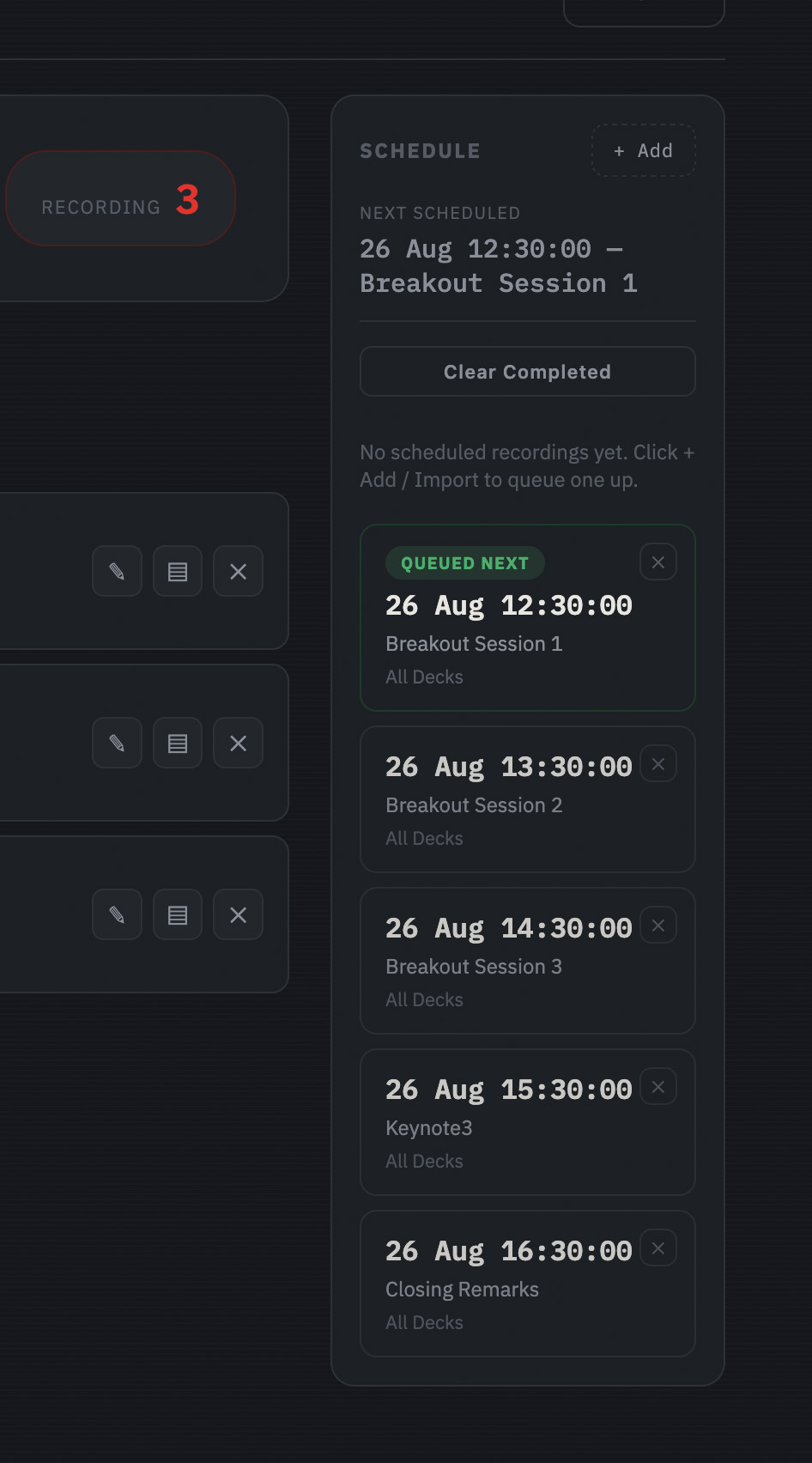
Schedule Recording on Multiple HyperDecks
Simultaneous recording solved the problem of starting every HyperDeck together — but it still needed someone standing there to press the button. The next gap was obvious: early-morning sessions, back-to-back slots through a long day, recordings that needed to start at an exact time whether or not anyone was free to trigger them by hand.
Queue it up once, walk away
Scheduling lets you add start times by hand, or import a whole day’s worth from a spreadsheet in one go. The schedule sidebar shows what’s currently recording and what’s queued next, right on the main screen — no separate app, no second system to check.
Each scheduled entry can target all decks, or just the specific ones it actually needs, so a 9am slot for one room and a 2pm slot for another don’t have to fight over the same rule. And if a deck’s already recording when its scheduled time arrives, HyperDeckSync leaves it alone rather than sending a command that might do something unpredictable — it only ever starts a deck that’s actually idle.