Every HyperDeck.
One screen.
Zero sprinting across the studio.
HyperDeckSync finds every deck on the network, records them all in the same breath, and keeps a proper eye on drives, disk space, and clip naming while you're busy actually shooting.
Runs locally on your own machine. Built from real hardware testing, not a mockup.
The problem
Multi-deck ingest shouldn’t mean multi-deck sprinting
On a good day, running four or five HyperDecks means walking to each one, checking it actually started, and hoping nobody’s card filled up an hour into the shoot without you noticing. On a bad day it means discovering the drive that quietly disconnected an hour ago, after the fact.
HyperDeckSync puts every deck on one screen, so record/stop is one click for all of them, disk space and drive health are visible before they’re a problem, and clips get named properly without anyone typing anything twice.
How it works
Three steps. No juggling apps.
Set your rig up once – HyperDeckSync handles the coordination every session after.
1. Add your decks
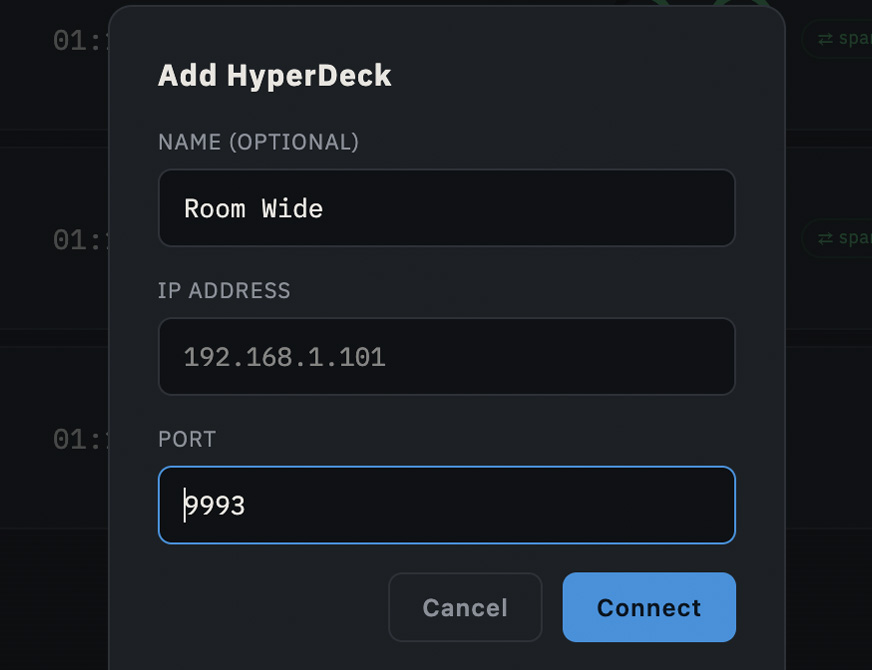
Auto-discover every HyperDeck on the network, or add one by IP in a couple of clicks.
2. Select & record
Tick the decks you want, hit one button. Every deck starts together, frame-tight.
3. Run the whole shoot
Browse clips, manage naming, schedule ahead, and get an email the moment anything needs attention.
Features
Built for how ingest actually goes
Simultaneous recording
One button, every deck, at once
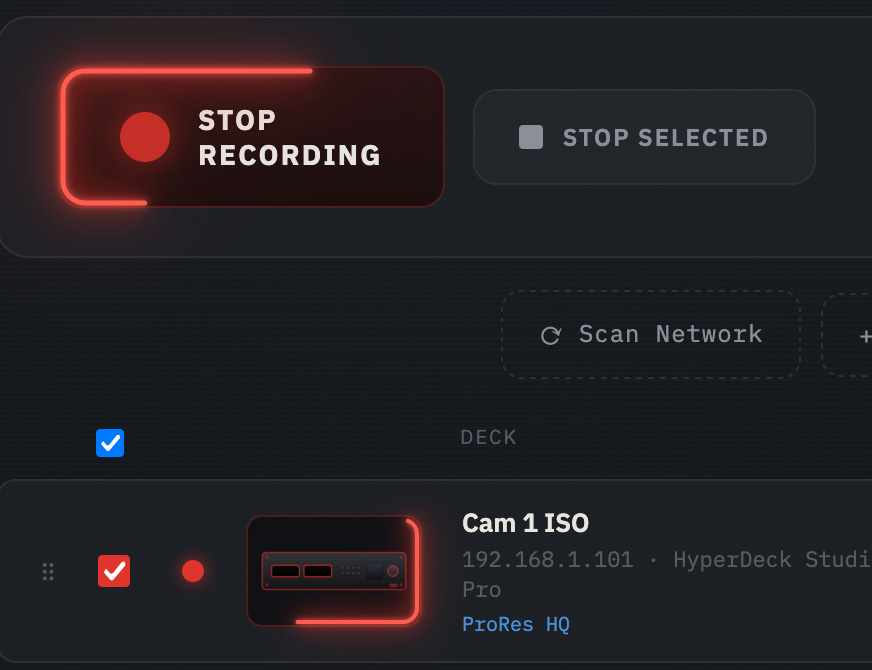
RECORD SELECTED fires concurrently across every ticked deck rather than one-by-one — as close to frame-tight as a network command can get.
STOP works the same way, and the button relabels itself so you always know which one you’re about to press.
Naming that makes sense
Templates, not typing it five times
Build a clip naming pattern once per deck from {name}, {date}, {time}, a shared {take} counter, a custom {tag}, or the {label} of whatever schedule entry triggered the recording — click to insert, no memorising syntax.
Know there’s a problem before it becomes a problem
Email alerts for disk, drives, and failures
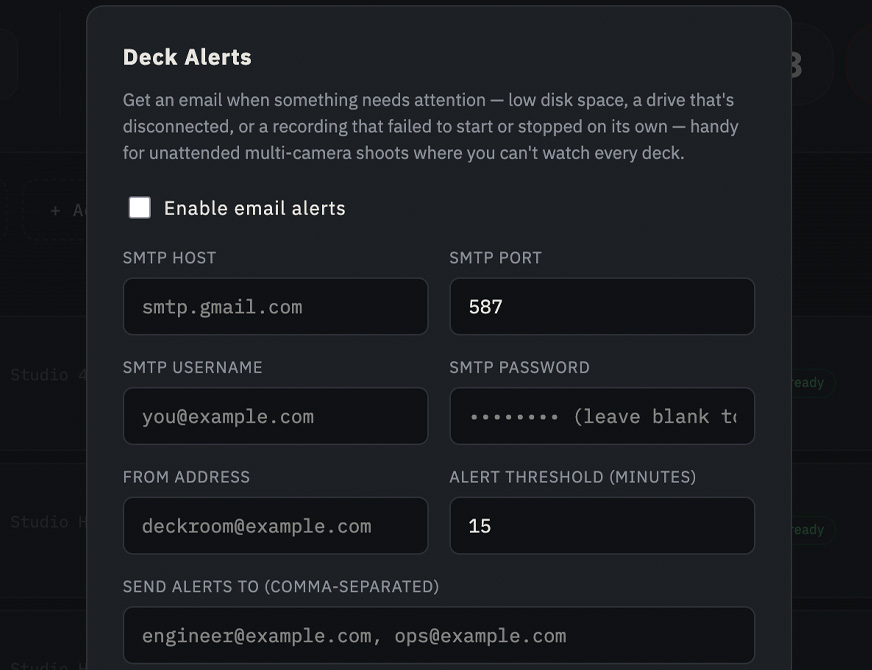
Low disk space, a drive that disconnects and doesn’t come back, or a recording that fails to start or stops on its own — all get an email, batched together if several things happen at once, not a flood of separate messages.
Everything Logged – from set up to final shot, everything is logged, including errors. The entire log can be emailed for reference.
Schedule a whole day
Queue it up and walk away
Add start times by hand or import a spreadsheet — the app shows what’s currently recording and what’s queued next, right on the page, and only ever triggers a deck that isn’t already rolling. Multiple, single or all decks can be selected at any time – total control over recording!
Download clips without leaving your desk
Browse, download, delete — over FTP
See every clip on a deck’s current slot with real codec, format, and duration, pull it straight to your machine, or clear space without walking over and touching the deck at all.
Matches your rack
Drag to reorder, not the other way round
The on-screen order is whatever you drag it to be — line it up to match your physical rack once, and it stays that way, including in the low-space alert emails.
See it in action
A real shoot, one screen
Actual screen recording — no mockups, this is the app running against real hardware.
Be one of the 1st to get it
HyperDeckSync is heading toward a proper release. Leave your email and we’ll let you know the moment it’s available, including early access and launch pricing. You’ll also join our mailing list — unsubscribe any time, we won’t spam you.